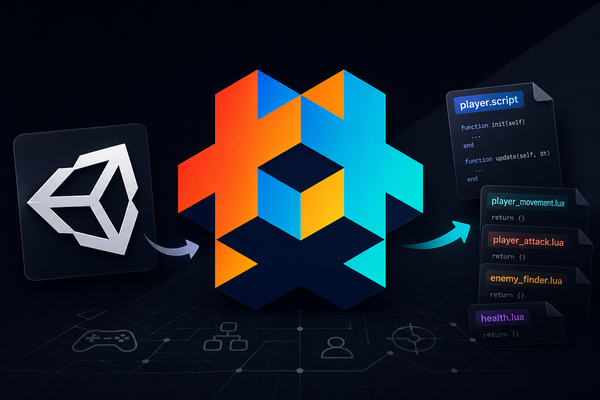
Unity to Defold: Understanding the Shift in Component Architecture
For developers coming from Unity, one of the biggest mental model changes when moving to Defold is how behavior is organized on a GameObject.
At first glance, Unity and Defold may seem very different. Unity uses multiple MonoBehaviour scripts attached directly to a single GameObject, while Defold usually uses only one .script component attached to a game object.
But functionally, both engines can support the same modular architecture.
The Unity Way: Multiple MonoBehaviours on One GameObject
In Unity, it is common to structure a player like this:
Player GameObject
Player.csPlayerMovement.csPlayerAttack.csEnemyFinder.csHealth.cs
Each script is usually a MonoBehaviour, attached to the same GameObject.
Example:
public class PlayerMovement : MonoBehaviour { }
public class PlayerAttack : MonoBehaviour { }
public class EnemyFinder : MonoBehaviour { }
Then a main Player.cs script often acts as the coordinator:
public class Player : MonoBehaviour
{
    PlayerMovement movement;
    PlayerAttack attack;

    void Awake()
    {
        movement = GetComponent<PlayerMovement>();
        attack = GetComponent<PlayerAttack>();
    }
}
This gives Unity developers:
- Separation of responsibility
- Reusable components
- Inspector-friendly workflow
- Familiar component composition model
The Defold Way: One Script + Multiple Lua Modules
In Defold, a game object typically has:
- Sprite component
- Collision component
- One main script (
player.script)
Instead of attaching many behavior scripts, you place logic into Lua modules.
Player Game Object
player.script(attached to object)player_movement.luaplayer_attack.luaenemy_finder.lua
So the attached script becomes the host/controller, while modules behave similarly to Unity components.
Example Comparison
Unity
PlayerMovement.SpeedUp();
PlayerAttack.Attack();
EnemyFinder.Scan();
Defold
local Movement = require "modules.player_movement"
local Attack   = require "modules.player_attack"
local Finder   = require "modules.enemy_finder"

function init(self)
    self.movement = Movement.new(self)
    self.attack = Attack.new(self)
    self.finder = Finder.new(self)
end

function update(self, dt)
    self.movement:update(dt)
    self.attack:update(dt)
    self.finder:update(dt)
end
What This Means Conceptually
The difference is mostly how behaviors are mounted, not whether modular architecture exists.
Unity:
Behavior modules are attached through the editor.
Defold:
Behavior modules are composed in code.
That means:
| Unity | Defold |
|---|---|
| Multiple MonoBehaviours on GameObject | One script + multiple Lua modules |
GetComponent<T>() | self.attack, self.movement |
| Inspector composition | Code composition |
| Lifecycle per component | Lifecycle routed through main script |
Why Defold Uses This Model
Defold is intentionally lightweight.
Rather than many script instances on one object, Defold encourages:
- Explicit ownership
- Low overhead
- Clear update flow
- Lua-based composition
- Easier debugging of execution order
You always know where updates start: the attached .script.
Similarity Unity Developers Should Notice
Even though the syntax changes, the architecture can stay familiar.
Your old Unity structure:
- Movement system
- Attack system
- Target finder
- Health module
Can remain exactly the same in Defold.
Only the hosting model changes.
Instead of:
Attach five MonoBehaviours
You now:
Attach one script, instantiate five Lua modules
The Pattern that I Use for this situation
When porting habits from Unity, I sometime use this structure:
player.go
 ├── sprite
 ├── collisionobject
 └── player.script
scripts/
player.script
modules/
player_movement.lua
player_attack.lua
enemy_finder.lua
health.luaThen player.script becomes the glue layer, just like your old Player.cs.
Important Mindset Shift
Do not think:
Defold only allows one script, so I lose modularity.
Think instead:
Defold separates runtime host scripts from reusable logic modules.
That is a different workflow—but not a weaker one.
Final Thought
For Unity developers, Defold may initially feel restrictive because you cannot stack many MonoBehaviour scripts on one object.
But once understood, Defold offers the same modular design with less hidden magic and more explicit control.
You still build components.
You just build them in Lua, and assemble them through code instead of the Inspector.
Just like component-based architecture is not mandatory in Unity, it is also not mandatory in Defold. This is only one approach among many. We will explore other ways to solve the same problems in upcoming blogs.