Introduction
People ask about game engines a lot.
What should I use?
What feels best in 2026?
Which engine is “the best”?
My honest answer is always the same:
It depends on what you want to build.
For me, game engine choices are no longer about chasing the most popular tool. These days, I care much more about workflow, performance, build size, and how quickly I can go from idea to playable game.
Since I spend most of my time building web games now, those priorities shape everything.
And because of that, my personal choice in 2026 is clear:
Defold is my main engine.
This article is simply my experience, why I keep choosing it, and why I think more developers, especially web-focused indie devs should give it a try.
Why Defold Fits My Workflow So Well
The biggest reason I keep coming back to Defold is simple:
It feels efficient.
Not only in runtime performance, but in how it supports my day to day development process.
Performance That Feels Good by Default
When building web games, optimization matters a lot.
Load times matter.
Responsiveness matters.
Smooth gameplay matters.
What I appreciate about Defold is that performance already feels strong before I start doing heavy optimization work.
That gives me confidence early in development, especially for browser-based projects where every bit of efficiency helps.
Small Build Size Is a Huge Advantage
Since I mostly build for the web nowadays, build size is always on my mind.
Smaller builds mean:
- Faster loading
- Better player retention
- Less friction before gameplay
- Better fit for instant-play platforms
Defold consistently helps here.
That alone makes it extremely attractive for web game development.
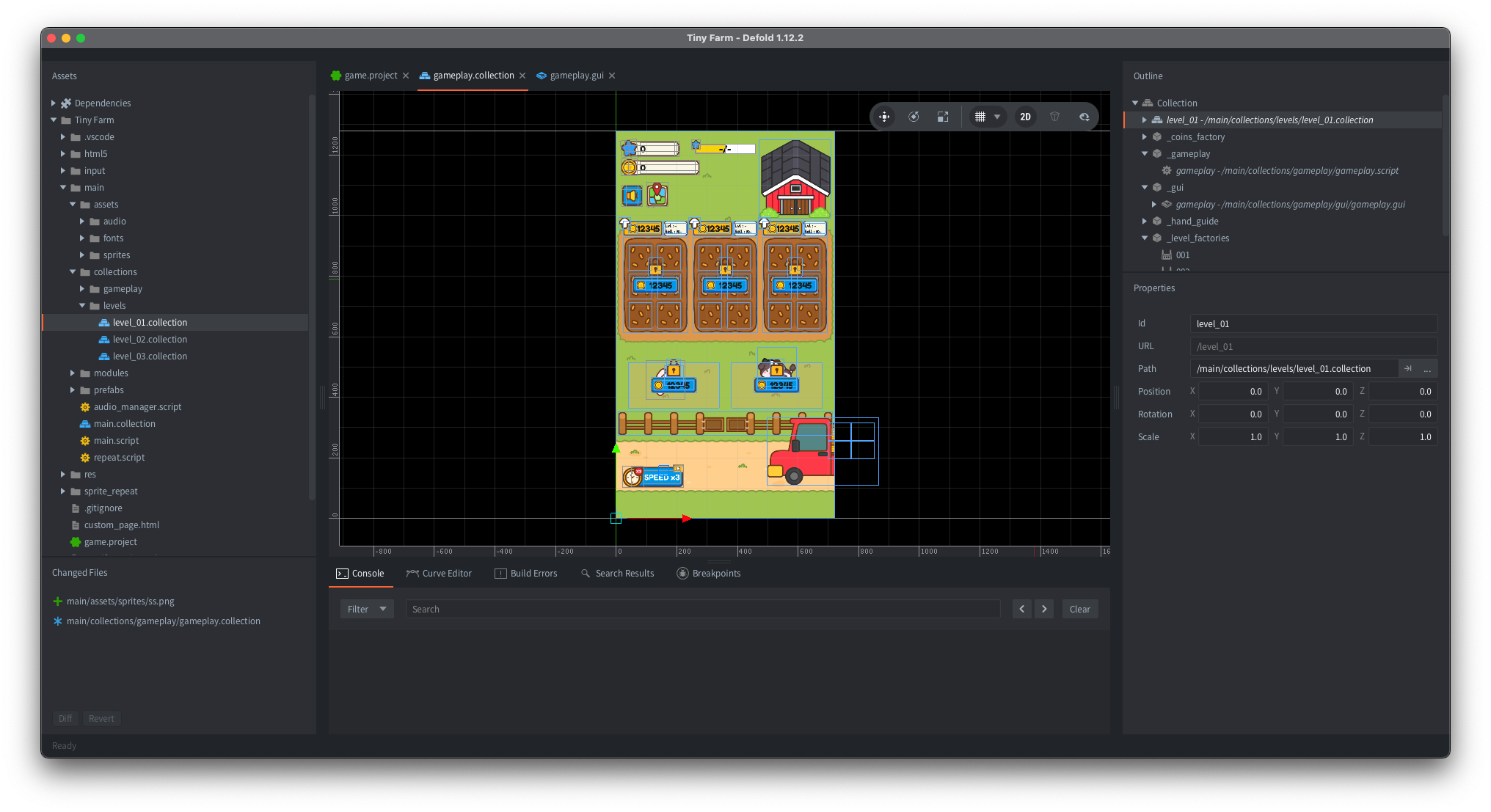
A Tidy, Compact Editor
I also genuinely like the Defold editor.
It feels focused.
Everything I need is there:
- Scene setup
- Assets
- Scripts
- Animation
- GUI
- Build/export workflow
The editor stays compact without feeling limited.
It gives me tools without overwhelming me.
That balance matters more than people think.
Fast Build Times Improve Developer Experience
Developer experience matters.
Momentum matters.
When I am prototyping mechanics or testing small gameplay ideas, I want builds quickly.
Defold feels great here.
Fast build times mean:
- Faster iteration
- Faster testing
- Less waiting
- Better creative flow
That helps me stay in the zone.
Easy Multi-Platform Support
Even though web is my main focus, I still appreciate flexibility.
Defold makes it easy to think beyond one platform.
Being able to target:
- Web
- Mobile
- Desktop
without dramatically changing my workflow is a big plus.
It keeps future options open.
Lua Works Really Well for How I Build Games
Another reason Defold clicks with me is Lua.
I enjoy working in a lightweight scripting environment.
My workflow often relies on:
- reusable modules
- shared utility systems
- project-to-project code reuse
Lua makes that feel natural.
Over time, this helps me build faster because I can carry proven systems into new projects.
That kind of reuse is incredibly valuable for indie development.
The Community Asset Library Is Genuinely Helpful
One thing I appreciate but don’t hear mentioned enough is the Defold community ecosystem.
The asset portal and community libraries are very useful.
There are solid solutions shared by other developers for:
- utilities
- effects
- gameplay helpers
- workflows
It saves time, encourages experimentation, and makes the engine feel even more practical.
Why I Still Enjoy Using Phaser
Even though Defold is my main engine now, I still enjoy building games with Phaser.
Phaser remains a tool I genuinely like.
For super simple web games—especially:
- arcade concepts
- hyper-casual ideas
- quick prototypes
I still find myself reaching for Phaser sometimes.
Why Phaser Still Works Well
- Small build sizes
- Fast to prototype
- Native web workflow
- Great for lightweight projects
For mechanic-first experiments, Phaser feels very immediate.
Why I Still Prefer Defold Overall
Even though Phaser is excellent for simple browser games, I personally prefer Defold when I want stronger performance and a more complete game development environment.
Phaser gives flexibility.
Defold gives me both flexibility and structure.
That combination fits me better for long-term projects.
What About Other Engines?
Outside of Defold, Phaser, and Unity, I honestly do not spend much time in other engines these days.
Not because other tools are bad.
There are many great engines available right now.
But I’ve learned that constantly switching tools slows me down more than it helps.
Where Unity Fits for Me
Unity still remains part of my toolkit. I still work with Unity when project requirements call for it.
For my own independent projects, Defold is where I feel most at home.
Final Thoughts
So, what engine do I choose in 2026?
For my own projects:
Defold.
Because it matches how I like to build.
- Strong performance
- Small build size
- Clean editor
- Fast iteration
- Easy deployment
- Flexible scripting
- Great for web games
Most importantly, it helps me stay focused on making games instead of fighting my tools.
And honestly, that matters a lot.
If you are interested in web game development, lightweight workflows, or simply trying something different from the usual engine discussions—
I really think Defold is worth exploring.
You might find it clicks with your workflow too.