Over the years, I’ve tried different ways of organizing code in my games. Some approaches were too simple and became messy as the project grew, while others introduced more structure than I actually needed.
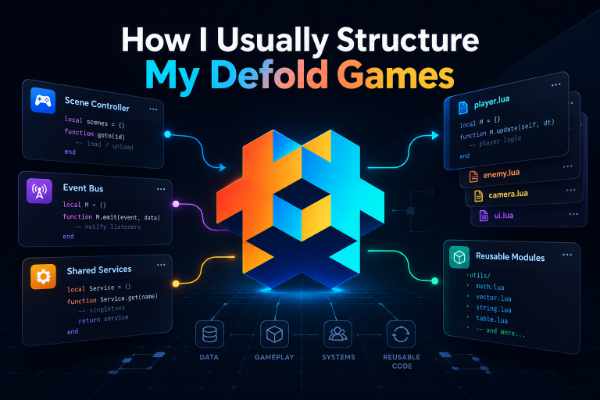
These days, I mostly work on small to medium-sized games, and I’ve found myself returning to a fairly simple setup: Lua modules, shared services, an event bus, and scene controllers.
It’s nothing revolutionary, and I’m definitely not suggesting this is the best way to structure a Defold project. It’s simply an approach I’ve become comfortable with, and one that works well for the kinds of games I make.
I thought it might be interesting to share how I usually organize things.
Keeping Shared Services in One Place
One thing I like to have in my projects is a central place to access services that are used throughout the game.
For this, I use a Lua module called game_manager, which acts as a simple service locator.
At startup, it initializes the services I need and stores their instances as fields.
For example:
local game_manager = {}

local audio_service = require("modules/audio_service")
local save_service = require("modules/save_service")

function game_manager.init()
    game_manager.audio_service = audio_service.new()
    game_manager.save_service = save_service.new()
end

return game_manager
Whenever another part of the game needs access to a shared service, it can simply use:
local game_manager = require("modules/game_manager")

game_manager.audio_service:play_sound("click")
I find this convenient because I don’t need to create or pass around service instances everywhere.
It also gives me a predictable place to look when I need to find something related to shared functionality.
Of course, service locators have their trade-offs.
Because any module can access these services, dependencies aren’t always obvious. It’s also tempting to put too many things inside game_manager until it becomes a collection of unrelated global state.
I try to avoid that by keeping it focused on services that genuinely need to be shared across the game.
Things like audio, save data, and other application-wide systems make sense here. Level-specific gameplay state usually doesn’t.
Lua Modules for Behavior, Instances for State
Another pattern I frequently use is creating instances from Lua modules.
I like keeping behavior inside modules while letting each instance hold its own runtime state.
For example, a simple gameplay module might look like this:
local gameplay = {}
gameplay.__index = gameplay

function gameplay.new()
    local instance = setmetatable({
        score = 0,
        hp = 3
    }, gameplay)

    return instance
end

function gameplay:add_score(amount)
    self.score = self.score + amount
end

return gameplay
Then, when a level starts, I can create an instance:
local gameplay = require("modules/gameplay")

local current_gameplay = gameplay.new()
current_gameplay:add_score(10)
Nothing particularly special here. It’s a common Lua pattern using tables and metatables.
But I like it because it gives me a simple separation between the module’s behavior and the instance’s state.
The module defines what the gameplay can do, while the instance holds the data for that particular session.
It also means I can create a fresh gameplay instance when starting a new level without worrying about accidentally carrying over state from a previous session.
For my projects, this approach provides enough structure without needing a more elaborate object-oriented framework.
Using an Event Bus for Notifications
I also like using an event bus.
In my Defold projects, I usually use Pigeon, a lightweight event bus library.
The idea is simple: when something happens, a system can announce it without necessarily knowing which other systems are interested.
For example, the gameplay system might emit events such as:
game_startedscore_changedplayer_diedlevel_completed
Other systems can subscribe to the events they care about.
I find this especially helpful for things like audio feedback, UI updates, achievements, and other systems that need to react to gameplay events.
The gameplay logic doesn’t need to know every system that might be listening.
However, I don’t use the event bus for everything.
If one object needs to directly tell another object to do something, I often prefer a direct call or Defold’s built-in message passing.
For example, asking a scene controller to pause the game is a direct command. I don’t necessarily need to broadcast an event just to make that happen.
I generally think of it this way:
Events are useful for announcing something that happened. Direct calls or messages are useful when I want something specific to happen.
It’s not a strict rule, but it helps me decide which approach feels more appropriate.
There’s also a downside to relying too heavily on events. When too many systems communicate through an event bus, it can become difficult to trace what triggered a particular behavior.
That’s why I try to use it where the decoupling is actually helpful, rather than making it the default solution for all communication.
Letting the Scene Controller Manage the Scene
For scene-specific logic, I usually let a scene controller take responsibility.
In Defold, a gameplay collection might contain various game objects, GUI components, and scripts.
Rather than letting each of those objects manage the entire gameplay flow, I prefer having a controller that coordinates the scene.
For example, when a gameplay scene starts, the controller creates a gameplay instance.
That instance contains the level’s runtime state and gameplay rules.
The controller then acts as the bridge between the gameplay logic and the Defold objects in the collection.
When the player interacts with the GUI, the input can be communicated to the controller through Defold messages.
The controller can then call the appropriate method on the gameplay instance.
Likewise, when something changes in the gameplay, the controller can update the relevant objects or GUI.
This keeps the responsibilities reasonably clear:
- Gameplay instance: Holds the level’s state and rules.
- Scene controller: Manages the scene’s lifecycle and coordinates gameplay.
- GUI and game objects: Handle presentation, input, and scene-specific behavior.
- Shared services: Handle functionality used throughout the game.
The GUI doesn’t need to know how the gameplay instance is implemented, and the gameplay instance doesn’t need to know the details of the GUI.
I like this separation because it makes the gameplay logic easier to reason about independently from its presentation.
It also helps when I need to change or redesign a GUI without rewriting the underlying gameplay rules.
Reusing What Works Across Projects
One of the biggest benefits I’ve found with this setup is code reuse.
Since I regularly work on different small and medium-sized games, there are systems I don’t want to rewrite every time I start a new project.
Things like:
- Audio management
- Save data
- Common utilities
- Reusable gameplay helpers
- General application services
Over time, I’ve built up a collection of Lua modules that I can bring into new projects.
Sometimes they need adjustments, but the core functionality is already there.
I find this particularly useful with Defold because Lua modules are straightforward to organize and reuse.
I also make use of libraries shared by the Defold community whenever they fit my needs. There are plenty of useful resources in the Defold Asset Portal, and I don’t see much reason to reinvent something that already works well.
That said, I don’t try to make everything reusable.
Gameplay logic is often specific to the game I’m making, and trying to force it into a generic framework can introduce unnecessary complexity.
I prefer reusing the parts that are genuinely common while leaving each game’s unique logic free to evolve on its own.
For me, reuse is about saving time and reducing repeated work, not building a universal framework that can handle every possible game.
Keeping Things Simple as the Project Grows
I think one of the challenges of software architecture is knowing when to add more structure.
It’s easy to look at larger projects or established design patterns and feel like you should use all of them.
But for the kinds of games I usually make, I don’t necessarily need that much complexity.
Most of the time, I just want a few clear places to look when something needs to change.
If I need to work on audio, I know where to go.
If I need to change save behavior, there’s a dedicated service for that.
If I need to adjust gameplay rules, I can look at the gameplay module.
And if I need to understand how the scene fits together, I can start with the scene controller.
That’s usually enough.
Of course, this architecture isn’t without limitations.
A service locator can make dependencies less explicit. An event bus can make execution flow harder to follow. And a scene controller can become too large if it starts handling responsibilities that belong elsewhere.
When those problems appear, I can adjust the structure.
Maybe a particular dependency should be passed explicitly into a constructor. Maybe some events should become direct calls. Or maybe a large controller needs to delegate responsibilities to smaller systems.
I don’t think the initial architecture needs to anticipate every possible problem.
I’d rather start with something simple that I understand well, then improve it when the project gives me a reason to.
Final Thoughts
This is roughly how I organize the runtime architecture in my small and medium Defold games.
It’s a combination of ideas that have been around for a long time: modules, service locators, event-driven communication, and scene controllers.
Nothing particularly fancy.
But I like how these pieces work together, and they’ve helped me maintain a workflow that feels comfortable and productive.
Most importantly, I can carry useful parts of the architecture into new projects without feeling like I’m bringing along an unnecessarily large framework.
I’m sure there are other approaches that work just as well, or even better, depending on the project and the developer.
For now, though, this is what works for me.
And that’s something I’ve come to appreciate about game development: you don’t always need a complicated solution. Sometimes a simple structure that you understand and enjoy working with is more than enough.